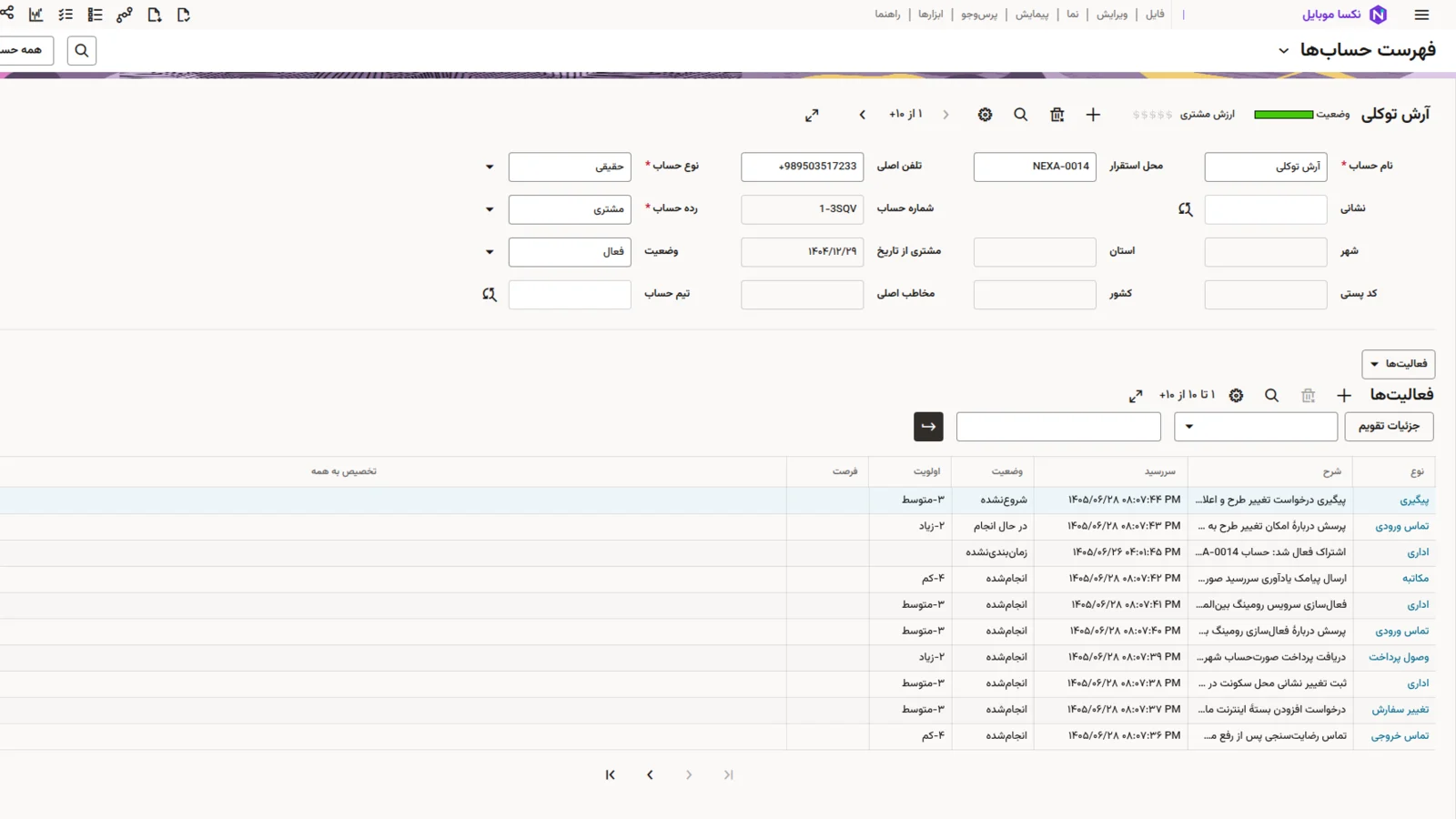
Agent Desktop
Customers, accounts, orders, service requests and activities in one browser-based desktop, in Persian and English.
Replace the front office, keep your billing.
CRM & Order Management gives sales and care teams a modern agent desktop, and orchestrates every order through to the network. It is for operators that keep their existing billing and charging, or want to replace only the front office first.
An integration layer connects it to the systems you already run, so the change happens one step at a time.
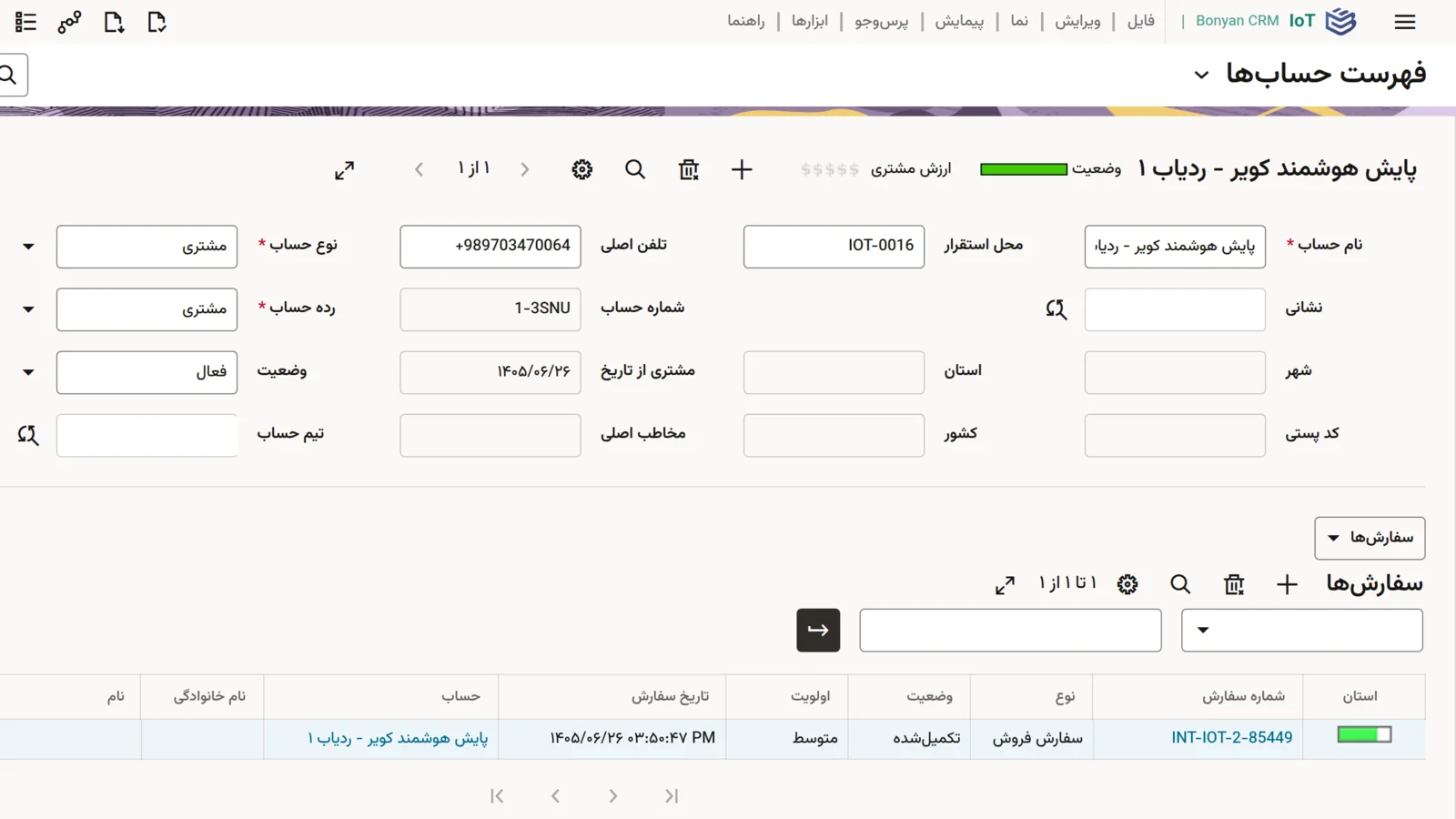
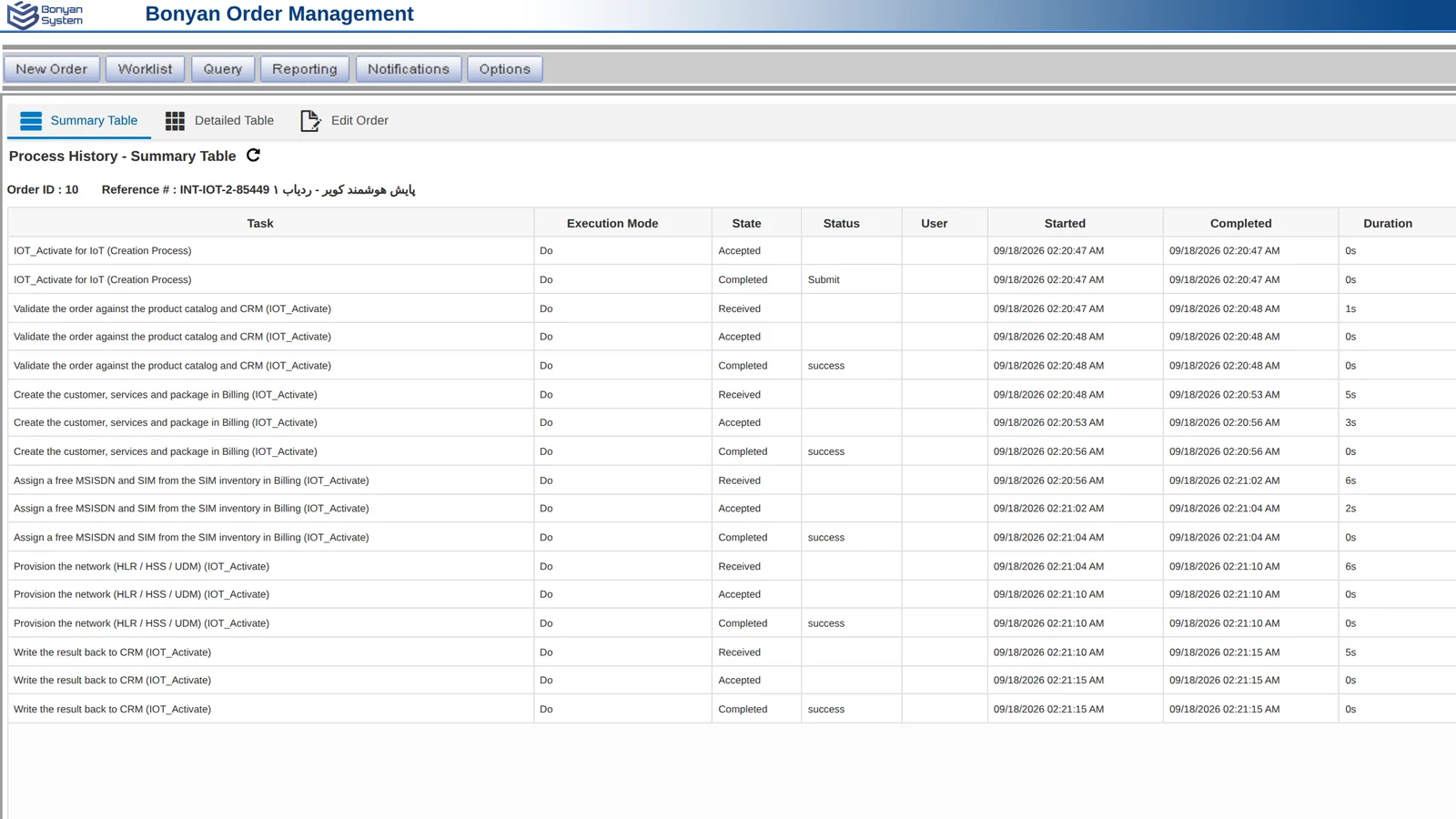
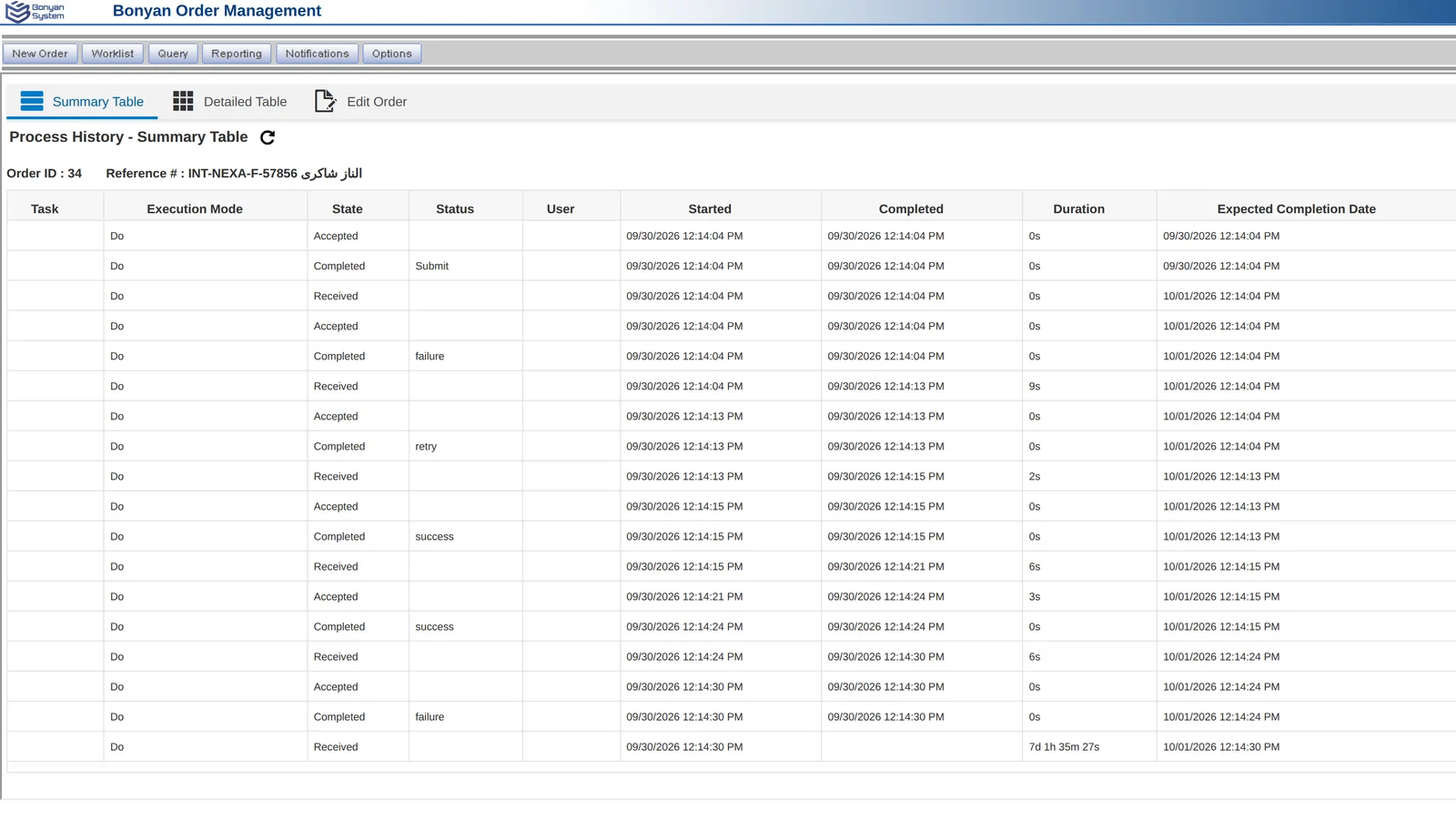
Orders are decomposed and fulfilled in sequence. When a step fails, the order goes to a fallout queue, an operator fixes the cause and retries, and the order continues from where it stopped.
The order is captured in CRM by an agent or a channel.
Checked against the catalogue and the customer record.
Customer, services and packages created in billing.
Resources reserved from inventory.
Subscriber activated on the network elements.
Fallout → retried by an operatorStatus and assets written back to CRM.
Customers, accounts, orders, service requests and activities in one browser-based desktop, in Persian and English.
One view of the customer across sales, care and service history.
Failed steps are visible, explained and retried without re-entering the order.
Connects to existing billing, charging and network systems through standard interfaces.
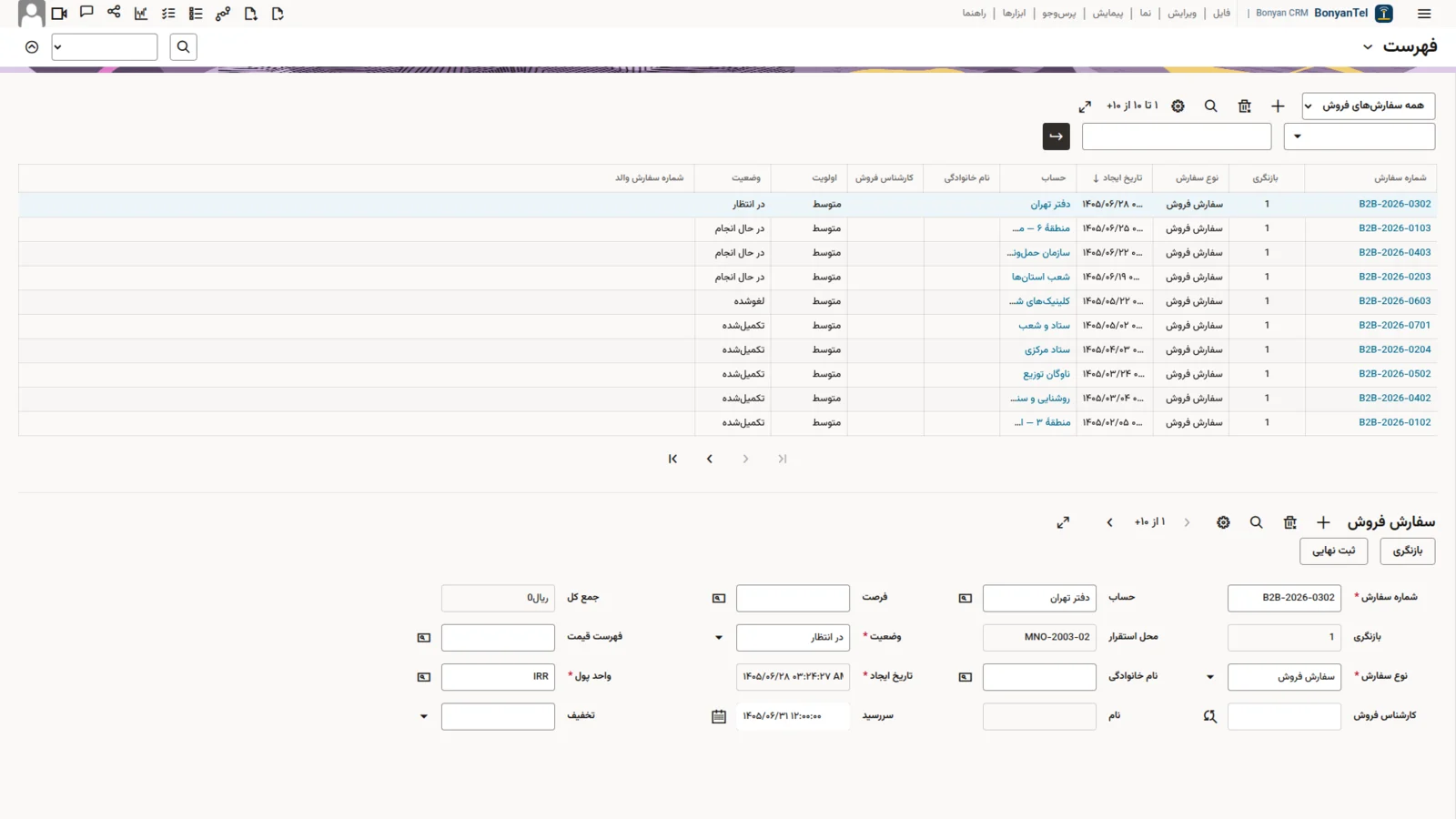
Screens from the product, shown with demo data.

Modernise the front office without touching billing.
Orchestration removes manual hand-offs.
Agents see the whole customer in one place.
Add charging and billing from the suite later, on the same platform.
A demonstration follows an order from the agent desktop to activation on the network.
Or e-mail info@bonyansystem.com.